Antivirus still matters, but it is no longer the full answer for many businesses. Modern attacks often use phishing, stolen passwords, unsafe links, and hidden activity on devices. That means your business may need more than a tool that blocks known malware. This guide explains managed EDR vs antivirus in simple terms, so you can decide what level of protection fits your risk, budget, and growth plans. Fresh Mango can help you choose the right route.
What Antivirus Does and Where It Falls Short
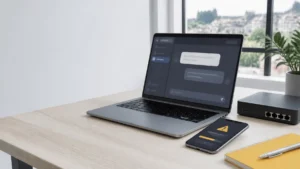
Many business owners ask, What does antivirus do? In simple terms, antivirus software helps detect, block, and remove known malware from computers and devices. Traditional antivirus software often checks files, apps, downloads, and suspicious behaviour against known threats. The NCSC says antivirus software can be useful as part of device security, but it should be managed properly and used with wider controls such as updates, secure settings, and good admin practices. That is the key point. Antivirus is useful, but it is only one layer. It may not give your business enough visibility when an attacker uses stolen login details, hides inside normal-looking activity, or moves quietly across devices.
Managed EDR vs Antivirus: The Real Difference
Antivirus software is mainly built to stop or remove threats on a device. EDR stands for Endpoint Detection and Response. It watches activity across devices, looks for suspicious patterns, and helps respond when something looks wrong. That makes endpoint detection and response vs antivirus a bigger question than simple malware blocking.
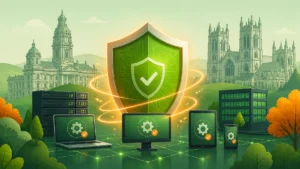
EDR can detect signs of an attack that an antivirus may miss. For example, a device may not have an obvious virus, but it may show strange logins, unusual file changes, suspicious scripts, or signs of ransomware behaviour. Microsoft says Defender for Business is designed for small and medium-sized businesses up to 300 users and helps protect devices from ransomware, malware, phishing, and other threats.
Managed EDR adds expert monitoring and response on top of the tool. That matters because alerts alone are not enough. Someone must review them, judge the risk, and act quickly. This is the main difference in managed EDR vs antivirus: antivirus blocks known threats, while managed EDR helps find, understand, and respond to wider attacks.
When Antivirus May Be Enough for a Small Business
For a very small business with simple systems, limited data, and low risk, antivirus software may be a reasonable starting point. If you use only a few devices, keep software updated, use strong passwords, and have good backups, basic protection can still reduce common risks. The NCSC also advises small businesses to use simple, low-cost steps to protect themselves from common cyber attacks.
But “basic” should not mean careless. A cheap antivirus product may protect against some known malware, but price should not be your only guide. The cheapest antivirus may leave gaps in support, reporting, management, or business-level control. For a company device, you need business protection, not just a home-user tool.
So, is antivirus enough for small business? Sometimes, yes, but only when risk is low, and other controls are strong. If your business depends on email, Microsoft 365, client files, payment systems, or remote work, antivirus alone may not give you enough protection or enough warning when something unusual happens.
When Your Business Needs Managed EDR
Your business should consider managed EDR if downtime, data loss, or a cyber incident would seriously hurt your work. This is common for firms that handle client records, financial data, legal documents, healthcare data, HR files, or sensitive project information. In those cases, prevention and fast response matter.
Managed EDR is also useful when your team works from different locations. Remote work means devices may connect from home networks, public Wi-Fi, or different towns. That creates more chances for weak devices or stolen passwords to become business risks. This is where EDR vs antivirus for small business becomes a serious decision.
Ask yourself this: Do small businesses need EDR if they are not large targets? Often, yes. Attackers do not only target big names. Small businesses can be easier targets because they often have fewer controls. The NCSC’s ransomware guidance warns that malware and ransomware can disrupt access to devices and data, which can stop normal work quickly.
What Managed EDR Services Should Include
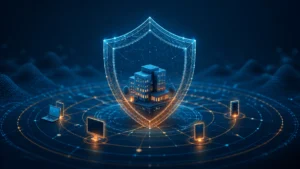
Before you compare products, understand what managed EDR. It is not just software. It should combine endpoint protection, monitoring, alert review, threat response, reporting, and expert support. The goal is to spot suspicious activity early and act before a small issue becomes a larger incident.
Well-managed EDR services for small business should include:
- Device monitoring for laptops, desktops, and servers
- Threat detection for malware, ransomware, and suspicious behaviour
- Alert review by trained security staff
- Response actions when a device looks compromised
- Clear reporting in plain English
- Support with updates, policies, and security improvements
The benefits of managed EDR are strongest when the service is properly managed. A tool that sends alerts no one reads is not enough. Fresh Mango can help review your devices, risks, Microsoft 365 setup, and current security stack, then explain what protection level makes sense for your business.
What About Price and Value?
Many SMEs ask about managed EDR pricing for small business because budgets matter. Costs vary based on the number of devices, support level, response service, reporting, and the security platform used. The cheapest option is rarely the best guide, because a weak response can cost more after an incident.
Think about value, not just monthly price. If one ransomware event stops your team, locks files, or damages customer trust, the cost can be much higher than better protection. The NCSC explains that ransomware can prevent access to devices and data, often by encrypting files, which is why recovery planning and prevention matter.
The best EDR solution for small business is not always the biggest or most expensive. It is the one that fits your setup, is monitored properly, and works with your wider IT support. Fresh Mango can help you avoid overbuying while still closing the gaps that matter.
How Fresh Mango Helps You Decide
You do not need to guess between antivirus and EDR. Fresh Mango can look at your current protection, devices, users, Microsoft 365 setup, backups, and business risk. Then you can make a clear choice based on facts, not fear or sales pressure.
For some businesses, improving antivirus, updates, MFA, backups, and user training may be the right first step. For others, managed EDR is the safer choice because the risk is higher, the team is larger, or client data needs stronger protection. The right answer depends on how your business works.
If your business is growing, handling sensitive data, or relying on cloud tools every day, antivirus alone may not be enough. Fresh Mango can help you compare options, strengthen your endpoint security, and choose a managed service that protects your team without adding needless complexity.