Is Antivirus Enough, or Does Your Business Need Managed EDR?

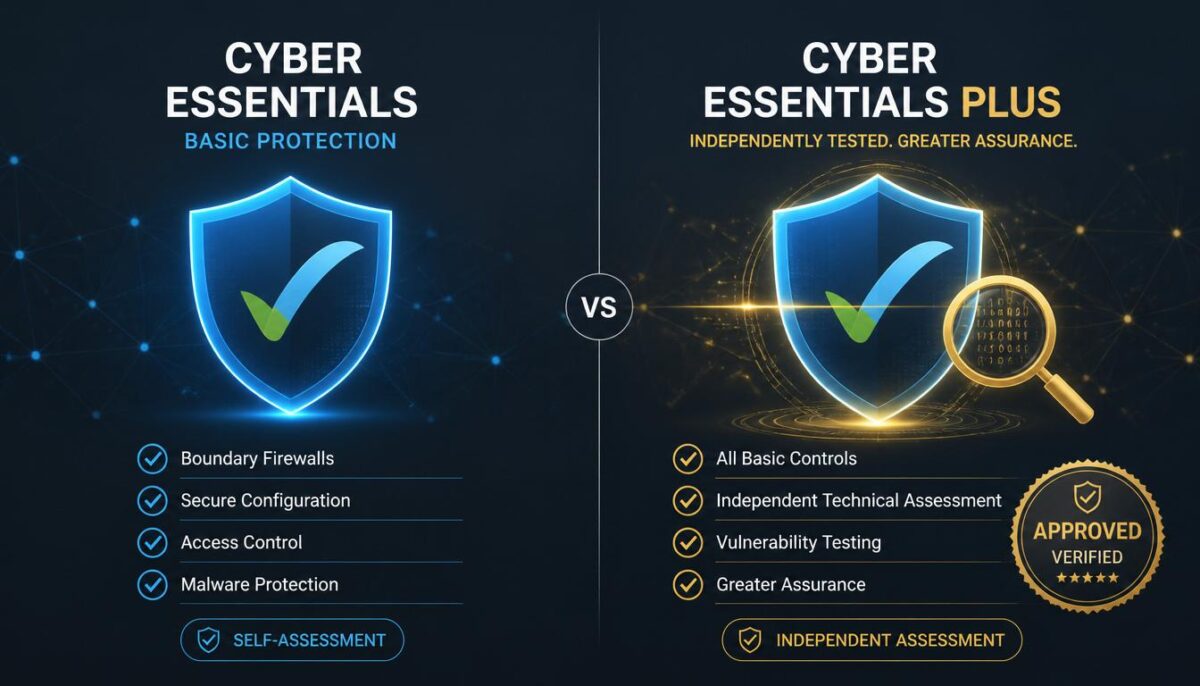
Antivirus still matters, but it is no longer the full answer for many businesses. Modern attacks often use phishing, stolen passwords, unsafe links, and hidden activity on devices. That means your business may need more than a tool that blocks known malware. This guide explains managed EDR vs antivirus in simple terms, so you can decide what level of protection fits your risk, budget, and growth plans. Fresh Mango can help you choose the right route.

What Antivirus Does and Where It Falls Short

Many business owners ask, What does antivirus do? In simple terms, antivirus software helps detect, block, and remove known malware from computers and devices. Traditional antivirus software often checks files, apps, downloads, and suspicious behaviour against known threats. The NCSC says antivirus software can be useful as part of device security, but it should be managed properly and used with wider controls such as updates, secure settings, and good admin practices. That is the key point. Antivirus is useful, but it is only one layer. It may not give your business enough visibility when an attacker uses stolen login details, hides inside normal-looking activity, or moves quietly across devices.

Managed EDR vs Antivirus: The Real Difference

Antivirus software is mainly built to stop or remove threats on a device. EDR stands for Endpoint Detection and Response. It watches activity across devices, looks for suspicious patterns, and helps respond when something looks wrong. That makes endpoint detection and response vs antivirus a bigger question than simple malware blocking.

EDR can detect signs of an attack that an antivirus may miss. For example, a device may not have an obvious virus, but it may show strange logins, unusual file changes, suspicious scripts, or signs of ransomware behaviour. Microsoft says Defender for Business is designed for small and medium-sized businesses up to 300 users and helps protect devices from ransomware, malware, phishing, and other threats.

Managed EDR adds expert monitoring and response on top of the tool. That matters because alerts alone are not enough. Someone must review them, judge the risk, and act quickly. This is the main difference in managed EDR vs antivirus: antivirus blocks known threats, while managed EDR helps find, understand, and respond to wider attacks.

When Antivirus May Be Enough for a Small Business

For a very small business with simple systems, limited data, and low risk, antivirus software may be a reasonable starting point. If you use only a few devices, keep software updated, use strong passwords, and have good backups, basic protection can still reduce common risks. The NCSC also advises small businesses to use simple, low-cost steps to protect themselves from common cyber attacks.

But “basic” should not mean careless. A cheap antivirus product may protect against some known malware, but price should not be your only guide. The cheapest antivirus may leave gaps in support, reporting, management, or business-level control. For a company device, you need business protection, not just a home-user tool.

So, is antivirus enough for small business? Sometimes, yes, but only when risk is low, and other controls are strong. If your business depends on email, Microsoft 365, client files, payment systems, or remote work, antivirus alone may not give you enough protection or enough warning when something unusual happens.

When Your Business Needs Managed EDR

Your business should consider managed EDR if downtime, data loss, or a cyber incident would seriously hurt your work. This is common for firms that handle client records, financial data, legal documents, healthcare data, HR files, or sensitive project information. In those cases, prevention and fast response matter.

Managed EDR is also useful when your team works from different locations. Remote work means devices may connect from home networks, public Wi-Fi, or different towns. That creates more chances for weak devices or stolen passwords to become business risks. This is where EDR vs antivirus for small business becomes a serious decision.

Ask yourself this: Do small businesses need EDR if they are not large targets? Often, yes. Attackers do not only target big names. Small businesses can be easier targets because they often have fewer controls. The NCSC’s ransomware guidance warns that malware and ransomware can disrupt access to devices and data, which can stop normal work quickly.

What Managed EDR Services Should Include

Before you compare products, understand what managed EDR. It is not just software. It should combine endpoint protection, monitoring, alert review, threat response, reporting, and expert support. The goal is to spot suspicious activity early and act before a small issue becomes a larger incident.

Well-managed EDR services for small business should include:

  • Device monitoring for laptops, desktops, and servers
  • Threat detection for malware, ransomware, and suspicious behaviour
  • Alert review by trained security staff
  • Response actions when a device looks compromised
  • Clear reporting in plain English
  • Support with updates, policies, and security improvements

The benefits of managed EDR are strongest when the service is properly managed. A tool that sends alerts no one reads is not enough. Fresh Mango can help review your devices, risks, Microsoft 365 setup, and current security stack, then explain what protection level makes sense for your business.

What About Price and Value?

Many SMEs ask about managed EDR pricing for small business because budgets matter. Costs vary based on the number of devices, support level, response service, reporting, and the security platform used. The cheapest option is rarely the best guide, because a weak response can cost more after an incident.

Think about value, not just monthly price. If one ransomware event stops your team, locks files, or damages customer trust, the cost can be much higher than better protection. The NCSC explains that ransomware can prevent access to devices and data, often by encrypting files, which is why recovery planning and prevention matter.

The best EDR solution for small business is not always the biggest or most expensive. It is the one that fits your setup, is monitored properly, and works with your wider IT support. Fresh Mango can help you avoid overbuying while still closing the gaps that matter.

How Fresh Mango Helps You Decide

You do not need to guess between antivirus and EDR. Fresh Mango can look at your current protection, devices, users, Microsoft 365 setup, backups, and business risk. Then you can make a clear choice based on facts, not fear or sales pressure.

For some businesses, improving antivirus, updates, MFA, backups, and user training may be the right first step. For others, managed EDR is the safer choice because the risk is higher, the team is larger, or client data needs stronger protection. The right answer depends on how your business works.

If your business is growing, handling sensitive data, or relying on cloud tools every day, antivirus alone may not be enough. Fresh Mango can help you compare options, strengthen your endpoint security, and choose a managed service that protects your team without adding needless complexity.
Managed IT Support vs Break-Fix IT Support: Which Is Better for SMEs?

Every small business needs reliable IT, but not every business needs the same support model. Some SMEs only call for help when something breaks. Others prefer ongoing support that keeps systems stable, secure, and ready for growth. Both options can work in the right situation. The real question is which one protects your time, money, staff, and customers better. Fresh Mango helps SMEs choose the right level of support before problems become expensive.

What Is the Main Difference Between Managed IT Support and Break-Fix IT Support?

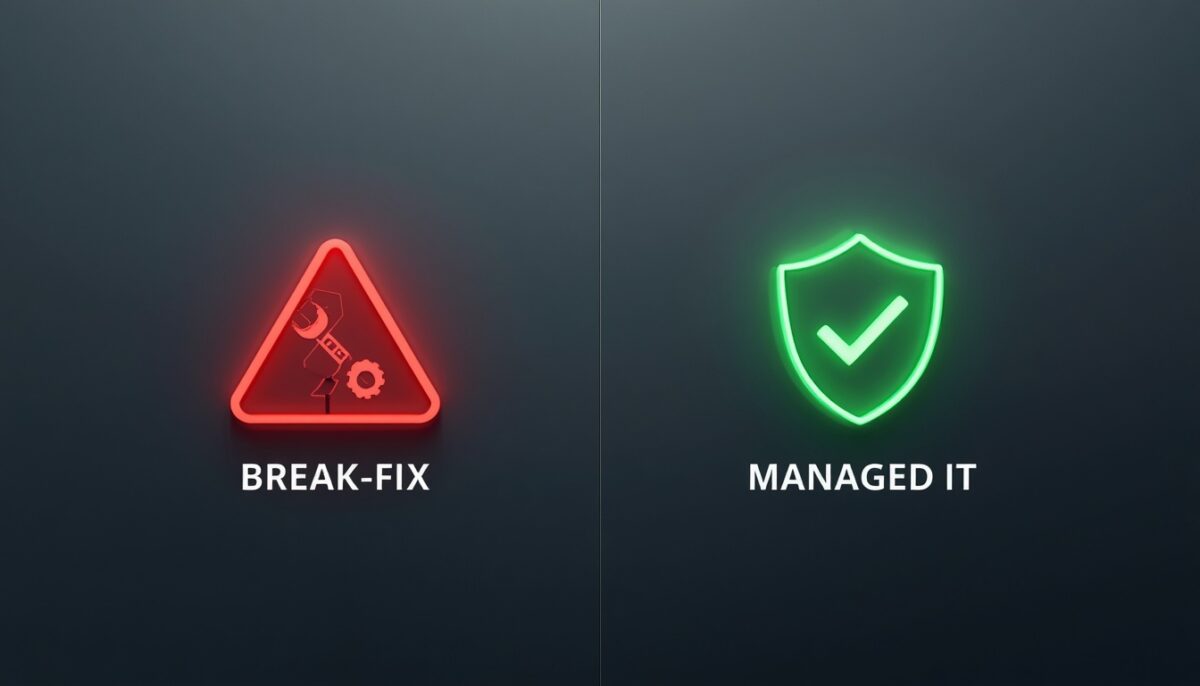
Break-fix IT support is reactive. You contact an IT company when something stops working, then pay for the time needed to fix it. Managed IT support is proactive. You pay a regular monthly fee for ongoing monitoring, helpdesk support, maintenance, updates, security checks, and advice. For most SMEs, the difference is control. Break-fix may look cheaper because there is no monthly fee, but the cost often appears when systems fail, staff cannot work, or urgent help is needed. Managed IT support gives your business a clearer plan, faster help, and fewer surprises. It is built around prevention, not panic. That matters when your team depends on email, cloud files, devices, internet access, and customer data every day.

How Break-Fix IT Support Works

Break-fix support is simple. Something goes wrong, then you call an engineer or it support provider to fix it. This could be a laptop issue, printer fault, email problem, server error, or internet outage. You usually pay by the hour or by the job.

This model can suit very small businesses with simple systems and low IT use. If you only have one or two devices and can handle short downtime, break-fix may feel enough. It also gives you freedom because you are not tied to a monthly contract.

The problem is that break-fix does not usually prevent issues. It waits until your team is already stuck. If your business depends on technology to serve customers, process orders, send invoices, or manage files, waiting for a failure can be costly.

How Managed IT Support Works

Managed support gives your SME ongoing help. Instead of calling only when something breaks, your provider monitors your systems, supports your users, manages updates, and helps reduce risks. Good it support services are built around keeping your business running.

This can include helpdesk support, Microsoft 365 support, device checks, cybersecurity, backup reviews, network support, and regular IT advice. Many SMEs choose this model because they want one trusted team to handle daily issues and long-term planning.

Fresh Mango offers managed support for businesses that want practical help, not technical confusion. The aim is to reduce downtime, improve security, and give your staff a clear place to go when they need support for IT problems.

Cost: Which Option Is Cheaper?

Break-fix can look cheaper at first because there is no fixed monthly cost. You only pay when you need help. For a very small business with rare issues, that may work. But the real cost depends on how often things go wrong and how serious those problems become.

Managed support gives you a planned monthly cost. That helps with budgeting. You know what your managed IT support services include, who to contact, and what level of service to expect. This can feel more stable than sudden repair bills.

The cheapest option is not always the best option. If a break-fix issue stops five staff working for half a day, the lost time may cost more than the repair. For SMEs, value often comes from fewer interruptions, not just a lower invoice.

Downtime and Productivity Matter More Than You Think

Downtime is not just a technical issue. It affects staff, customers, deadlines, cash flow, and trust. If your email fails, files go missing, or systems slow down, your team loses focus. Customers may also feel the delay. That is why small business IT support should be judged by outcomes.

Break-fix support often starts after the damage has already begun. Someone reports the problem, waits for help, explains the issue, and then waits for a fix. If the engineer does not know your setup, the process can take longer.

Managed support is different because your provider already understands your business. They know your systems, users, devices, and common risks. That makes it easier to act quickly and prevent repeated problems from coming back.

Security: Managed Support Gives SMEs Better Protection

Cybersecurity is one of the clearest reasons SMEs move away from break-fix support. A reactive model may fix devices after a problem, but it may not keep systems patched, protected, and monitored. That leaves gaps attackers can use.

Managed support can include updates, endpoint protection, password guidance, Microsoft 365 checks, backup reviews, and cybersecurity advice. This makes it support for business more useful because it protects both your systems and your reputation.

Fresh Mango can help SMEs look at IT and security together. That matters because modern IT problems are not only broken screens and slow laptops. They include phishing, weak passwords, poor backups, old software, and unsafe file sharing.

What Should Be Included in Managed IT Support?

A good support plan should be clear. You should know what is included, what costs extra, and how quickly help will arrive. If a provider cannot explain this in plain English, it may be hard to trust them when something serious happens.

Strong business IT support services often include:

  • Helpdesk support for staff and daily issues
  • Monitoring for devices, systems, and networks
  • Microsoft 365 and email support
  • Security updates and patch management
  • Backup checks and recovery guidance
  • Cybersecurity advice and protection tools
  • Regular reviews and practical IT planning

This is where outsourced IT support services can be useful. You get access to a wider skill set without hiring a full internal team. For many SMEs, that gives better cover, better advice, and a more flexible way to grow.

When Break-Fix May Still Make Sense

Break-fix is not always wrong. It may work for a micro business with very few devices, low risk, and no strong need for uptime. If your systems are simple and downtime does not stop sales or service, reactive help may be enough for now.

It can also work for one-off tasks. For example, you may need a device repaired, a printer fixed, or a simple setup completed. In those cases, break-fix can be a practical short-term option.

But if you keep searching for it, support near me every time something fails, that is a warning sign. It means your business may need a more stable relationship with one provider who understands your setup and can support you properly.

When Managed IT Support Is the Better Choice

Managed support is usually better when your SME relies on email, cloud apps, shared files, customer data, payment systems, or remote working. If IT issues affect your income or service quality, reactive help may not be enough.

It is also better when you want a provider to guide decisions. A good IT support consultant can help with software, security, devices, backups, cloud tools, and future planning. That advice can stop you from buying the wrong thing or delaying important fixes.

Choose fully managed IT support if you want one team to take wider responsibility for your IT. This is helpful when you want less stress, clearer costs, stronger security, and a better support experience for your staff.

Why Fresh Mango Is a Strong Fit for SMEs

Fresh Mango helps SMEs that want practical IT support and services without confusing language. The focus is on keeping your business working, reducing risk, and helping your team get fast support when they need it.

For many SMEs, using Fresh Mango as an outsourced IT support partner is more flexible than hiring in-house. You get access to different skills, from daily helpdesk support to cyber security, Microsoft 365, cloud, backup, and wider IT planning.

If you want company IT support that feels clear, friendly, and business-focused, Fresh Mango can help you compare your options. The right model should match your size, risks, staff needs, and growth plans.

Final Verdict: Which Is Better for SMEs?

Break-fix can work when your IT setup is very small, simple, and low-risk. But it is reactive by nature. You call after the problem has already affected your team. That can lead to stress, lost time, and unpredictable costs.

Managed services IT support is usually the better choice for SMEs that rely on technology every day. It gives you ongoing help, planned costs, stronger security, better advice, and fewer avoidable problems. It turns IT from a repair bill into a business support system.

The best choice depends on your risk level. If downtime, cyber threats, poor backups, or staff delays would hurt your business, managed support is the safer route. Fresh Mango can help you review your current setup and choose the right support model for your SME.

Microsoft 365 Security Audit Checklist for Small Businesses

Microsoft 365 keeps your email, files, Teams chats, calendars, and client data in one place. That makes work easier, but it also means one weak setting can create a serious risk. A security audit helps you find those gaps before they turn into downtime, data loss, or a phishing issue. This Microsoft 365 security audit checklist gives small businesses a clear path, and Fresh Mango can help you turn it into action.

Why a Microsoft 365 Security Audit Matters

A Microsoft 365 security audit is not only for large companies. Small businesses also hold invoices, staff records, client emails, contracts, passwords, and shared files. Microsoft’s own guidance for Microsoft 365 for business includes key steps such as using multi-factor authentication, protecting admin accounts, using preset security policies, protecting devices, securing email, and protecting data. That means a good audit should look at people, devices, email, file sharing, access rights, backups, and compliance together. The goal is simple: find what is exposed, fix what matters first, and make daily work safer without making it harder. This is where a clear Microsoft 365 security checklist for small business becomes useful.

Start With User Accounts and Sign-Ins

Your first audit step is to check every user account. Look for active users, old staff accounts, shared accounts, guest users, and accounts with weak sign-in habits. If someone has left the business, their access should be blocked or removed. Old accounts are easy targets because no one watches them closely.

Multi-factor authentication should be enabled across the business. Microsoft says security defaults are on by default for Microsoft 365 business organisations, which helps enable MFA and baseline protection. Still, many businesses need a manual review to make sure the setting is working as expected.

This is a key part of how to secure Microsoft 365 for small business. Check who can sign in, from where, and on which device. Fresh Mango can help you review accounts, remove unused access, and make sign-ins safer without confusing your staff.

Review Admin Accounts Before Anything Else

Admin accounts need special attention because they control your Microsoft 365 setup. They can reset passwords, change security rules, access settings, and manage user data. If too many people have admin rights, your business has more risk than needed.

Your Office 365 security audit checklist should include a full admin role review. Ask a simple question: Does this person truly need admin access for their job? If not, reduce the permission. A billing user, for example, should not need full global admin rights.

Admin accounts should use MFA, strong passwords, and separate daily-use accounts where possible. This lowers the chance of major damage if one normal work account is compromised. Fresh Mango can help clean up permissions and make admin access easier to manage.

Check Email Security and Phishing Protection

Email is one of the most common ways attackers reach small businesses. Fake invoices, delivery messages, password reset emails, and supplier scams can all land in a busy inbox. Your audit should check spam filtering, anti-phishing rules, malware protection, and sender spoofing settings.

Microsoft 365 includes built-in email and security tools, but they still need the right setup. Microsoft lists secure email use and preset security policies as part of its recommended business security approach. These settings help reduce spam, malware, and phishing risks.

Your Microsoft 365 security assessment checklist should also include staff reporting. Can your team report suspicious emails easily? Do they know what a phishing message looks like? Fresh Mango can help review both the technical settings and the human side of email safety.

Audit File Sharing, OneDrive, and Teams

File sharing is where many small businesses lose control. Microsoft 365 makes it easy to share documents, but easy sharing can become unsafe sharing. Check SharePoint, Teams, and OneDrive for public links, old guest access, and folders with wider access than needed.

Use this section as your practical file-sharing checklist:

  • Remove guest users who no longer need access
  • Review anonymous sharing links
  • Limit access to sensitive folders
  • Check Teams channels with private business data
  • Review OneDrive folders used for company files
  • Confirm important data is backed up
  • Remove access for old staff and suppliers

These steps support Microsoft 365 security best practices for small business because they reduce accidental data exposure. Fresh Mango can help structure file access so staff can still work quickly, but only the right people can view or edit sensitive information.

Review Devices, Updates, and Endpoint Protection

A safe Microsoft 365 account can still be exposed by an unsafe device. Laptops, desktops, tablets, and phones should all be part of your audit. Check whether devices are updated, supported, protected, encrypted where needed, and used by the right people.

For stronger endpoint protection, Microsoft Defender for Business is designed for small and medium-sized businesses with up to 300 users. Microsoft says it helps protect devices from ransomware, malware, phishing, and other threats.

This matters for remote work and hybrid teams. If staff use home networks, personal phones, or older laptops, your Microsoft 365 risk can increase. Fresh Mango can help you review devices, improve protection, and decide where stronger security tools are needed.

Use Secure Score as a Starting Point

Microsoft Secure Score gives your business a useful view of its security posture. Microsoft describes it as a measurement of an organisation’s security posture, where a higher number shows that more recommended security actions have been taken.

Secure Score should not be treated as a race to get the highest number. Some recommendations may not suit your business, licence, or workflow. The value is in seeing which actions matter most and which changes can reduce real risk quickly.

A good Microsoft 365 compliance checklist should use Secure Score alongside human review. Fresh Mango can help explain which recommendations are important, which ones can wait, and which settings need careful planning before they are changed.

Check Compliance, Licensing, and Data Protection

Compliance is not only about large firms. Small businesses also handle personal data, client records, contracts, HR files, and financial information. Your audit should check who can access sensitive data, how long records are kept, and whether the right controls are in place.

Microsoft notes that appropriate subscription licences are required for users to benefit from Microsoft 365 security and compliance services. That means your audit should review both settings and licences, because some features may not be available on every plan.

This is where many businesses need help. You may have the right licence but poor settings, or good settings but missing tools. Fresh Mango can review your current setup and help you choose a practical route without overspending on features you do not need.

Review Backups and Recovery Planning

Many small businesses assume Microsoft 365 means everything is automatically safe forever. That is risky. Microsoft 365 helps keep services running, but your business still needs a clear plan for accidental deletion, account misuse, ransomware, and long-term data recovery.

Your audit should check how email, OneDrive, SharePoint, and Teams data would be restored after a problem. Who handles recovery? How fast can files come back? What happens if a user deletes important data or a compromised account damages files?

This is a BOFU moment for many businesses. If recovery is unclear, your risk is real. Fresh Mango can help you review backup gaps, test recovery plans, and make sure your Microsoft 365 setup supports business continuity, not just daily convenience.

When to Ask Fresh Mango for Help

You can run a basic audit yourself, but Microsoft 365 settings can quickly become confusing. User roles, MFA, sharing rules, Defender, Secure Score, licences, and compliance tools all connect. One wrong change can block staff or leave a gap open.

Fresh Mango can help small businesses turn this checklist into a clear action plan. That includes reviewing accounts, admin access, file sharing, email security, endpoint protection, backups, and compliance needs. You get practical advice, not technical noise.

If you are asking how safe your Microsoft 365 setup really is, now is the right time to review it. Fresh Mango can help you find weak points, fix urgent risks, and build a safer setup that supports your team, your clients, and your growth.

Cyber Essentials vs Cyber Essentials Plus: Which One Does Your Business Need?

Cyber Essentials and Cyber Essentials Plus both help UK businesses prove they take cyber security seriously. The difference is the level of proof. One is a verified self-assessment. The other adds hands-on technical testing. For many businesses, the right choice depends on customer demand, contract terms, risk level, and the level of assurance you need. Fresh Mango helps you choose the right route before you spend money.

What Is the Difference Between Cyber Essentials and Cyber Essentials Plus?

Cyber Essentials is the UK Government-backed minimum cybersecurity standard recommended for organisations of all sizes. It focuses on five core controls that help protect against common online threats. Cyber Essentials Plus uses the same requirements, but adds independent technical testing of your systems. IASME says Plus starts with the same verified self-assessment, then includes internal and external vulnerability scans and checks on a sample of devices, gateways, and internet-facing servers. So, Cyber Essentials Plus is not a different set of rules. It is a higher level of proof that the rules are working in real life.

When Cyber Essentials Is the Right Choice

Cyber Essentials is often the right first step for small and mid-sized businesses that want clear proof of basic cybersecurity. It suits companies that need to demonstrate to clients, insurers, or partners that they have the key controls in place. Once approved, your business becomes Cyber Essentials certified.

This level works well if you are applying for lower-risk contracts, improving customer trust, or building a stronger security base. It is also useful if you want a clear picture of your current IT setup before investing in more advanced checks. The NCSC says many organisations now require suppliers to be certified before bidding for work.

Cyber Essentials is based on a verified self-assessment. Your business answers questions, a senior person signs them off, and an assessor reviews them. There is no extra technical scan at the basic level, so your answers must be accurate and supported by real practice.

When Your Business Should Choose Cyber Essentials Plus

Cyber Essentials Plus is better when you need stronger proof. This is common for businesses that handle sensitive data, work in regulated sectors, supply larger organisations, or need to reassure clients before signing a contract. Plus, it gives buyers more confidence because an external assessor tests your systems.

Choose Plus if a client has asked for it directly. Also consider it if you already have Cyber Essentials and want to prove your controls work beyond paperwork. For example, if you depend on Microsoft 365, remote devices, cloud tools, and shared files, technical testing can reveal gaps before a customer or attacker does.

Plus can also support sales. When two suppliers look similar, stronger cyber proof can help you stand out. Fresh Mango’s cyber essentials services can help you prepare properly, reduce avoidable failure risks, and choose a certification route that matches your business goals.

What the Assessment Looks at Before You Apply

Both levels look at the same five technical control areas. These are designed to reduce common cyber risks, not cover every possible threat. The five areas are firewalls, secure configuration, security update management, user access control, and malware protection.

Before applying, it helps to review a simple cyber essentials checklist. This gives your team a practical view of what needs fixing before the assessment starts.

  • Are all devices and software still supported?
  • Is multi-factor authentication active where required?
  • Are security updates installed quickly?
  • Are admin accounts limited and controlled?
  • Are firewalls and routers set up securely?
  • Is malware protection active on devices?

IASME also provides a free readiness tool that many businesses use as a Cyber Essentials checker before applying. It gives plain-English guidance and a tailored action plan, which can help you spot weak areas early.

Cyber Essentials Cost: What Changes the Price?

The basic cyber essentials cost starts at £320 + VAT, according to the NCSC. The final price is based on the size of your organisation. Cyber Essentials Plus is different because it must be quoted based on the size and complexity of your network.

Plus, it costs more because it takes more technical time. The assessor may need to test user devices, internet gateways, and internet-facing servers. IASME says Plus audits can be carried out remotely or in person, depending on the business and the assessment setup.

The hidden cost is often preparation. If your software is unsupported, your MFA is missing, or updates are not managed well, you may need fixes before applying. Good cyber essentials support can save money here by helping you avoid failed assessments and rushed last-minute work.

Common Reasons Businesses Fail or Delay Certification

Unsupported software is one of the biggest risks. IASME states that any company using unsupported software within the assessment scope will fail Cyber Essentials. That means old operating systems, outdated apps, or forgotten machines can block certification.

MFA is another key point. For the April 2026 update, IASME explains that where cloud services have MFA available, and it is not implemented, this can result in automatic failure. This matters for businesses using Microsoft 365, cloud storage, hosted apps, and remote access tools.

Scope can also cause delays. Your business must be clear about which systems, users, locations, and cloud services are included. If the scope is unclear, the assessment becomes harder. Fresh Mango can help review this before you apply, so the process goes more smoothly.

How Fresh Mango Helps You Choose the Right Level

Fresh Mango is an accredited Cyber Essentials certification body and offers both CE and CE Plus guidance for businesses. Its website explains that Cyber Essentials is the self-assessment option, while CE Plus includes hands-on technical verification.

This matters because many businesses do not know which route they need. You may only need a basic certification today. Or you may need Plus because a tender, customer, insurer, or partner expects stronger assurance. Fresh Mango can help you decide before you commit.

Fresh Mango can also connect this work with wider IT support, cybersecurity, Microsoft 365, anti-virus, EDR, MDR, MFA, backup, and cloud services. That makes the process more useful than a certificate alone. You also improve the systems your team uses every day.

Which One Does Your Business Need?

Choose Cyber Essentials if you want a strong first step, a recognised certificate, and proof that your business has the basic controls in place. It is usually the better starting point for small businesses, local suppliers, and companies improving cybersecurity for the first time.

Choose Cyber Essentials Plus if you need stronger proof, work with larger clients, handle sensitive data, or want external testing. Plus is also better if your business wants to use certification as part of sales, tendering, or risk management.

The smartest route is to get advice before applying. Fresh Mango can review your setup, explain the likely gaps, and recommend the right certification level. That way, you do not overpay for the wrong route or underprepare for the one your business really needs.

How Much Does Managed IT Support Cost in Yorkshire?

Managed IT support in Yorkshire usually costs less than hiring a full in-house IT team, but the final price depends on your users, devices, cybersecurity needs, response times, and how much support you want included. For many small and mid-sized businesses, the main question is not “What is the cheapest option?” It is “What level of support will keep us running, safe, and ready to grow?” Fresh Mango helps Yorkshire businesses answer that clearly.

What Is the Average Cost of Managed IT Support in Yorkshire?

Across the UK, recent pricing guides place managed IT support broadly between about £40 and £150 per user per month, depending on the service level, cyber security cover, and complexity of the business setup. Some smaller firms may start with basic support at the lower end, while businesses that need faster response times, monitoring, Microsoft 365 help, backup checks, security tools, or compliance support will usually pay more. In Yorkshire, pricing often depends on whether your provider is remote-only, local, fully managed, or offering strategic support as well as day-to-day helpdesk cover.

Why Managed IT Support Prices Vary So Much

A five-person office with laptops, Microsoft 365, and simple cloud tools will not need the same support as a fifty-person business with servers, remote staff, specialist software, and cyber compliance needs. That is why a good IT support provider should not give you a random figure without first asking how your business works.

The biggest cost factors are usually user count, device count, server setup, cloud services, response time, security level, and whether you need on-site visits. If your team works across Leeds, Ripon, Skipton, York, or wider Yorkshire, local access can also matter when hands-on help is needed.

Cheap support can look attractive at first. But if it only covers basic fixes, you may still pay extra for security, projects, emergency callouts, backup recovery, or consultancy. That is where some businesses find that low monthly fees become higher real costs over time.

Common Pricing Models for IT Support Services

Most IT support services are priced in one of three ways: per user, per device, or fixed monthly package. Per-user pricing is common because it is easy to understand. If your business has fifteen staff, you pay a set monthly amount for each supported person.

Per-device pricing may suit companies with shared machines, workshops, warehouses, or mixed setups. For example, a business may have fewer users but many computers, printers, network devices, or tablets. In that case, pricing by device can sometimes make more sense.

Fixed packages are also popular for small business IT support. These may include helpdesk support, monitoring, patching, antivirus or EDR, backup checks, and regular advice. The key is to check what is included, what is limited, and what becomes an extra charge.

What Should Be Included in a Good Monthly Package?

A good support plan should do more than wait for things to break. Strong managed IT support services should keep your systems updated, monitor issues, support users, protect your data, and help you make better IT decisions before problems become expensive.

A clear Yorkshire IT support package should usually include:

  • Helpdesk support for everyday user problems
  • Device and system monitoring
  • Microsoft 365 and email support
  • Security updates and patch management
  • Backup checks and recovery support
  • Cybersecurity advice and protection tools
  • Regular reviews and practical IT planning

If you are comparing business IT support services, ask each provider to explain the service in plain English. You should know how to raise tickets, how fast they respond, what hours are covered, what security tools are included, and whether site visits cost extra.

Outsourced IT Support vs Hiring In-House

Hiring one full-time IT person can be useful, but it is often costly for a small or growing business. Salary, training, holidays, sickness cover, tools, and specialist knowledge all add up. That is why many Yorkshire firms choose outsourced IT support instead.

With outsourced support, you get access to a wider team. One person may be strong in Microsoft 365, another in cybersecurity, another in networks, and another in servers. That range is hard to match with one internal hire, especially when your business is still growing.

The best option is not always either-or. Some businesses use outsourced IT support services alongside an internal team. This works well when internal staff handle daily tasks while the external provider manages advanced issues, projects, cyber security, or holiday cover.

Fully Managed IT Support: What Do You Pay For?

Fully managed IT support means your provider takes wider responsibility for keeping your IT stable, secure, and supported. Fresh Mango describes its Managed Service Provision plan as proactive support that includes regular maintenance checks and monitoring to keep systems running efficiently.

This type of support usually costs more than basic break-fix help because it includes prevention, not just repair. You are paying for fewer surprises, faster fixes, better planning, and a team that already understands your systems before something goes wrong.

For many firms, fully managed support becomes valuable when downtime is expensive. If your staff cannot work, orders are delayed, customers are affected, or data is at risk, the cheapest plan may not be the safest plan. Reliability has a real business value.

What Makes Yorkshire Businesses Pay More or Less?

A business with simple cloud systems, modern laptops, and good security habits will usually cost less to support. A company with old hardware, weak passwords, poor backups, unsupported software, or messy networks may need more work before support becomes smooth.

Location can also affect service needs. If you search for it support near me, you are probably not just looking for remote help. You may want a provider that understands Yorkshire businesses and can visit when hardware, cabling, servers, or office networks need attention.

Cybersecurity can also change the price. Services like EDR, Managed Detection and Response, Cyber Essentials support, and backup protection add cost, but they also lower risk. Fresh Mango also provides Cyber Essentials services and is an accredited certification body.

How to Compare IT Support Quotes Properly

Do not compare quotes by price alone. One company’s support quote may include cyber security, backups, monitoring, and reviews. Another may only include remote helpdesk time. On paper, the cheaper quote wins. In real life, it may leave gaps.

Ask what happens when a laptop fails, a user cannot access email, a backup needs restoring, or a phishing attack hits your inbox. A good IT support consultant should explain the process clearly and tell you what is included before you sign.

Also check contract length, response times, cancellation terms, project rates, and escalation routes. Managed services IT support should be clear, not confusing. If every useful answer ends with “that costs extra,” the monthly price may not tell the full story.

When Is Managed IT Support Worth the Cost?

Managed support is worth it when your business depends on working systems, safe data, and fast help. If your team loses hours every month to IT issues, the cost is already there. You are just paying for it through wasted time, stress, and lost productivity.

It is also worth it when cyber risk matters. Email attacks, weak passwords, missing updates, and poor backups can hurt even small businesses. Good support for business helps reduce those risks and gives your team safer ways to work.

For growing firms, support for IT should also include advice. You may need better Microsoft 365 setup, cloud backup, device planning, remote working tools, or cyber compliance. The right provider helps you plan instead of reacting late.

Why Fresh Mango Is a Smart Choice for Yorkshire IT Support

Fresh Mango offers IT support and services for businesses across Yorkshire, with support available through locations including Ripon, Leeds, and Skipton. The company also lists services such as IT managed services, cybersecurity, cloud services, backup, email, servers, and network support.

That matters because many businesses do not want a faceless remote-only helpdesk. They want an IT business support partner that understands local needs, explains things simply, and helps them make calm decisions when systems, security, or staff issues need attention.

If you are comparing support IT services, Fresh Mango is a strong fit when you want practical help, proactive monitoring, cybersecurity awareness, and clear business support. The right plan should protect your team, reduce downtime, and give you confidence in your IT setup.

Final Thoughts: What Should You Budget?

For many Yorkshire businesses, a realistic budget for managed support will often sit somewhere between basic per-user support and a fuller monthly package with monitoring, cyber security, backup checks, and advice. The right number depends on how your business uses technology.

If you only need simple remote help, your cost may stay near the lower end. If you need stronger security, faster response, server support, compliance help, or wider planning, expect to pay more. That extra cost can be worthwhile if it prevents downtime or data loss.

The best next step is to get a clear quote based on your real setup. Fresh Mango can review your users, devices, risks, and goals, then recommend a support plan that fits. That way, you are not buying the cheapest package. You are choosing the right level of support for your business.