How to Choose the Best IT Support in Leeds (Compared)

If you run a business in Leeds, you already know that this city moves fast.

How to Choose the Best IT Support in Leeds (Compared)

If you run a business in Leeds, you already know that this city moves fast. Whether you’re based in a sleek office near Park Square, running a retail spot on Briggate, or managing a warehouse out in Holbeck, your tech is the engine that keeps everything running. But what happens when that engine starts smoking? Or worse, what happens when it just stops?

Choosing the right IT support isn’t just about finding someone who can fix a broken laptop. It’s about finding a partner who understands the Yorkshire business landscape and won’t leave you hanging when the “blue screen of death” makes an unwelcome appearance on a Monday morning.

And if you’ve been Googling things like IT Support Leeds, Business IT support Leeds, or Outsourced IT support Leeds, you’re not alone. Plenty of local teams are also searching wider for it support Yorkshire and small business IT support Yorkshire because the right support should still feel local, even when you’ve got staff spread across the region.

With so many providers across West Yorkshire, how do you separate the “tech wizards” from the “troubleshooters”? Let’s dive into what you should actually be looking for when comparing IT support in Leeds.

Why "Local" Really Matters (It’s Not Just a Buzzword)

You might see national companies offering IT support at bargain-bin prices. They promise 24/7 remote monitoring and “instant” ticket logging. Sounds great, right? Until you realise their “local” engineer is actually stuck in traffic on the M25, three hundred miles away.

In Leeds, local presence is your secret weapon. When your server goes down or your office Wi-Fi decides to take an unscheduled holiday, you don’t want a “virtual assistant” in another time zone. You want someone who knows the shortcuts through the city centre and can get to your door before your coffee gets cold.

At Fresh Mango, we pride ourselves on our rapid deployment. We’re properly Yorkshire-based, with offices in Leeds and Ripon, so you’re not just getting a remote helpdesk—you’re getting a nearby team that can turn up when it matters. If a problem can’t be fixed remotely, we’re out the door and on our way to you (and yes, we cover the wider patch too—if you’re looking for IT Support Skipton or IT Support Ripon, you’re in the right place).

Local IT support

Comparing Response Times: The SLA vs. Real Life

When your team can’t access their emails, every minute feels like an hour. So yes, response time matters. But here’s the bit that often gets muddled: there’s the SLA response time (the formal promise) and there’s the typical response (what actually happens day-to-day).

At Fresh Mango, our SLA is a 4-hour response time. That’s the contractual safety net, so you know you’re covered.

But in real life? We typically respond within minutes, and 95% of support requests are sorted within an hour.

Why does that difference matter? Because a “response” can sometimes be nothing more than an automated email saying, “We’ve received your ticket.” That doesn’t get you back to work. When you’re comparing providers, ask these simple, plain-English questions:

  • Does “response” mean a real human has picked it up and started working it?
  • What’s your typical first response time (not just the SLA)?
  • What percentage of tickets do you resolve within an hour?

Less Firefighting: Proactive Management That Prevents Issues

Here’s the truth: the best response time is the one you never need.

A solid IT partner should be doing proactive systems management in the background—keeping devices updated, monitoring for early warning signs, and fixing small issues before they turn into “everyone’s down tools” disasters. That proactive approach reduces the need for reactive support in the first place, which means fewer interruptions for you.

Easy Ticket Logging: Our App + Portal (With an AI Agent)

You also want support to be easy to reach, not just fast.

That’s why we provide an App and client Portal that lets you raise support tickets directly into our system anytime—24/7/365—without hunting for an email address or waiting on hold.

And for the simple, common stuff? The Portal includes an AI Agent that can assist with straightforward issues (like forgotten passwords), so you can get moving again even quicker. If it’s not simple, no stress—your ticket is still routed to the right person on our team.

If you want a feel for how we tailor support to different businesses, you can check out our service selector.

The "Jargon-Free" Zone: Do They Speak Human?

Have you ever called a helpdesk and felt like you needed a degree in Computer Science just to understand the answer?

  • “We need to reconfigure the DNS records and check the DHCP handshake on the VLAN.”
  • Translation: “We need to fix the bit that connects your computer to the internet.”

One of the biggest complaints we hear from Leeds business owners moving from other providers is that they felt “talked down to.” IT shouldn’t be a dark art. A great IT partner should be able to explain what’s wrong and how they’re fixing it in plain English.

Why is this important? Because if you don’t understand the problem, you can’t make informed decisions about your budget or your security. At Fresh Mango, our brand tone is “Friendly” for a reason. We’re here to help, not to show off how many acronyms we know.

Security: Beyond Just "Antivirus"

Cyber threats aren’t just something that happens to giant corporations in London or New York. Yorkshire businesses are targets every single day. When comparing IT support in Leeds, you need to look at their approach to complete cyber security.

This is where location matters too. If you’re searching cyber security Yorkshire or more specifically Cyber Security Leeds, you’re usually looking for a team that can do both: lock things down properly and show up if you need hands-on help. And if you’re outside the city, the same applies for Cyber Security Ripon and Cyber Security Skipton—you want a local-ish partner, not someone treating Yorkshire like a pin on a map.

Does the provider offer:

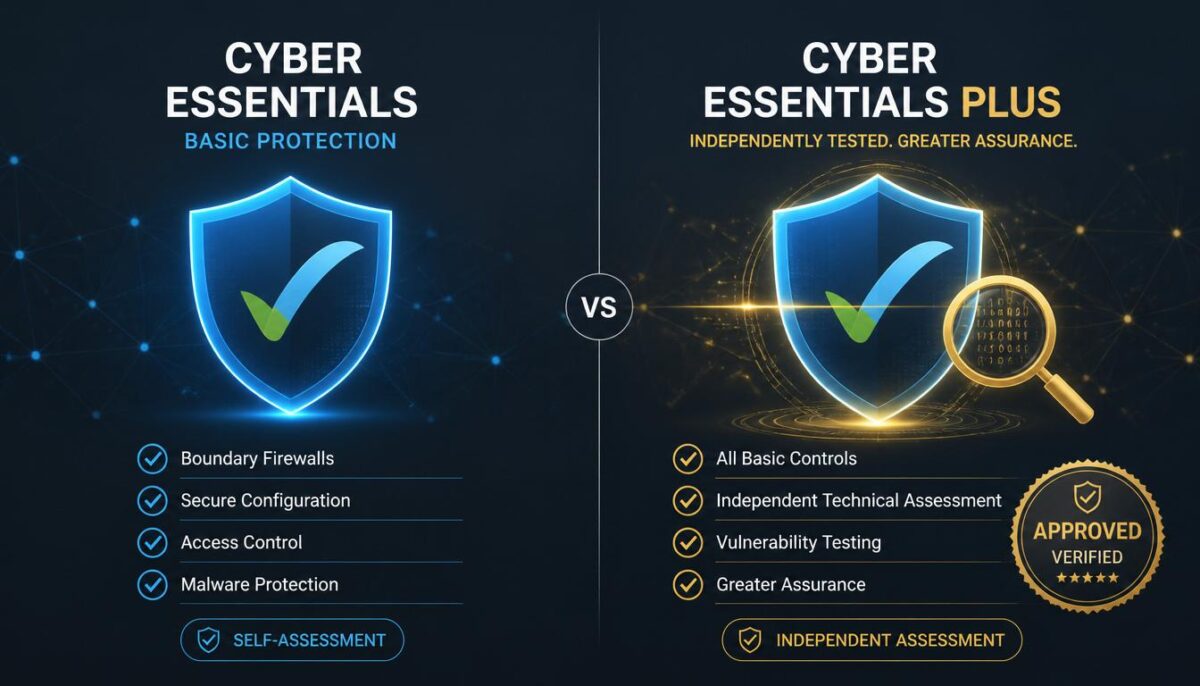
  1. Cyber Essentials certification? This is the baseline for UK business security.
  2. Managed Endpoint Detection? (That’s a fancy way of saying “active monitoring that stops threats before they spread”).
  3. Employee Training? Most breaches happen because someone clicked a link they shouldn’t have.

If a provider just installs an antivirus and calls it a day, they aren’t protecting you; they’re just waiting for you to get hacked. You can read more about how to protect yourself from a data breach on our blog to see the level of detail you should expect.

And one more plain-English tip: when you see people searching “Cyber Security Companies near me”, what they usually mean is “who can actually help fast, explain it clearly, and reduce my risk without making my head spin?” That’s exactly the standard you should be holding any provider to.

Cyber Security Companies near me

Support Hours: Is Anyone Home After 5 PM?

Leeds is a city that works hard. If you’re a law firm on The Headrow, you’re likely working late. If you’re a restaurant in the Trinity Centre, your busiest times are evenings and weekends.

Many IT companies stick to the standard 9-to-5, Monday-to-Friday routine. But tech doesn’t care what time it is. If your system crashes at 5:15 PM on a Friday, you don’t want to wait until Monday morning for a fix.

  • When comparing providers, check their extended hours.
    Some providers only operate during standard business hours (roughly 8:30 AM – 5:30 PM).
  • Others offer proactive monitoring, which means they’re spotting and fixing issues before you even notice—often outside of your normal working day.

At Fresh Mango, we understand that “business hours” are a suggestion, not a rule. We offer support that fits your schedule, ensuring your Yorkshire business stays online when it matters most.

Comparing the "Hidden" Costs

Price is always a factor, but the cheapest quote isn’t always the best value. Some providers lure you in with a low monthly “per user” fee, but then charge you extra for:

  • On-site visits.
  • New user setups.
  • Strategic advice or “vCIO” (Virtual Chief Information Officer) services.
  • Emergency call-outs.

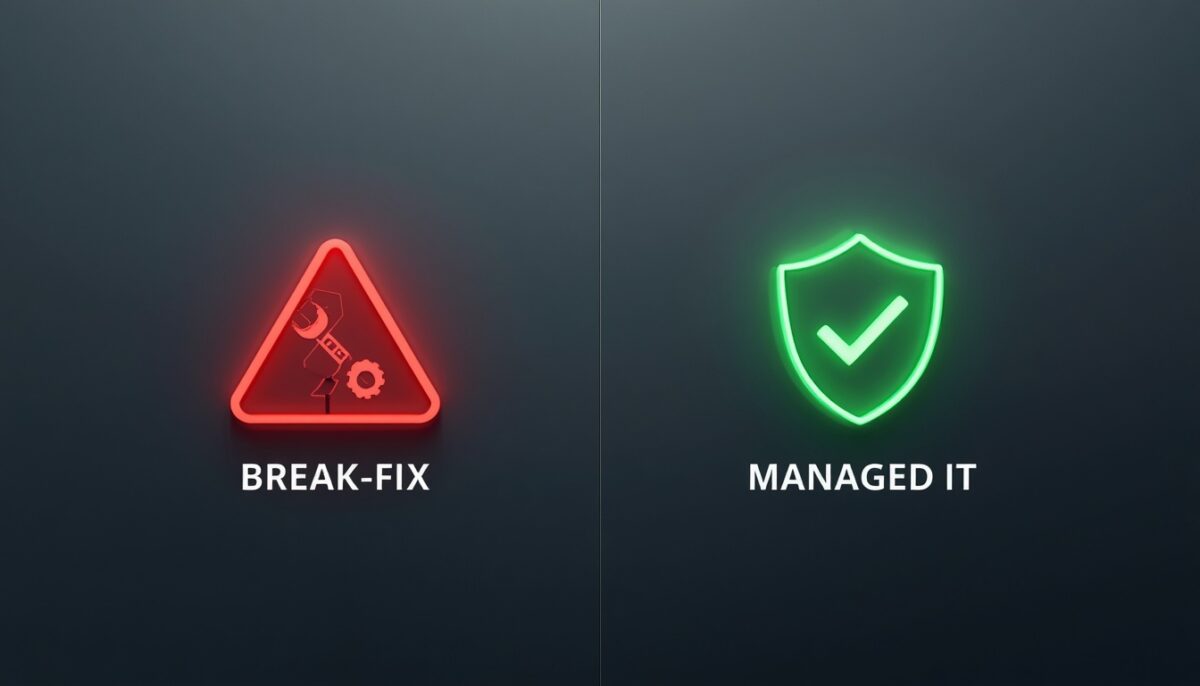
A “cheap” contract can quickly become the most expensive thing your business pays for if every little fix comes with an invoice attached. Look for a provider that offers managed IT services Leeds or managed IT services Yorkshire (same idea, just different coverage): a flat monthly fee that covers everything. It makes your budgeting easier and puts the onus on the IT company to keep things running smoothly (since they don’t get paid extra when things break!).

Looking for IT Support in Skipton or Ripon?

While Leeds is the hub, we know that many fantastic businesses are located just outside the city in places like Skipton, Ripon, or Harrogate. The same rules apply! You need a provider who is willing to make the trip up the A61 or A65 without charging you a “travel fee” that looks like a phone number.

If you’re in these areas, our Leeds computer repairs and support services extend across the region, bringing that same friendly, rapid-deployment mindset to North Yorkshire too. With offices in both Ripon and Skipton we are ideally located to assist.

How to Make the Switch (Without the Headache)

A lot of businesses stay with “okay” IT support because they’re terrified of the “big switch.” They worry about losing emails, downtime, or things going missing.

A professional IT partner should handle the entire transition for you. They should talk to your current provider, get the keys to the kingdom, and migrate your systems with zero disruption to your workday.

Here’s a quick checklist for your first meeting with a potential new IT partner:

  • Can you show me your average resolution time for the last 3 months?
  • Will I have a dedicated account manager who knows my business?
  • Do you offer “Cyber Essentials” as part of your package?
  • What happens if my server goes down at 8 PM on a Tuesday?
  • Can you explain your pricing in one page without hidden fees?

Summary: The Fresh Mango Difference

We know you have choices when it comes to IT support in Leeds. You could go with a massive national firm, or a one-man-band working out of a spare room.

Fresh Mango sits right in the “sweet spot.” We have the resources and team size to handle complex infrastructure and serious cyber threats, but we’re small enough to care about every single client. We’re the “helpful neighbour” who also happens to be an expert in server virtualisation and data security.

Whether you’re looking for high net worth individual support or a complete overhaul of your office tech, we’re here to help.

Ready to see what friendly, local IT support actually looks like?

We hope this guide has helped you narrow down your choices! If you’d like a no-obligation chat about how we can support your business, why not get in touch with our team today? Let’s get your tech working for you, rather than the other way around.

Windows 11 has finally arrived

The newest edition to Windows has finally arrived, Windows 11 was released by Microsoft on 5th October 2021. You can find out more about the latest Microsoft operating system below, there are a few key points to note:

  1. There is no rush to upgrade your operating system from Windows 10 to 11. Windows 10 remains in support until 2025.
  2. Windows 11 does have some minimum system requirements. Therefore it may not be possible to upgrade without upgrading the hardware on your PC or laptop or completely replacing it.
  3. Windows 11 is still in the early stages of its release, like any new software it is possible there will be bugs or issues that will be ironed out in time.

For these reasons, our recommendation is to stick with Windows 10 for the time being. However, if you are considering purchasing a new PC or laptop in the near future, please do check to ensure the specification allows it to be upgraded. Fresh Mango will be pleased to advise you.

The latest Windows OS has easy-to-use tools that can help you optimise your screen space and maximise your productivity. Combine that with a Microsoft 365 subscription and nothing will stop you from getting tasks done.

Find out more about Windows 11 on our dedicated webpage here.

Fresh Mango’s Guide to On-premises (physical) servers and Cloud servers

With remote working here-to-stay in one form or another, many businesses are questioning what kind of server solution they should have – On-premises or Cloud servers. Our guide highlights the main differences and the pros and cons of each approach.

On-Premises Servers vs Cloud Servers

The main difference between physical and cloud servers is their location: a physical server is located on-premises, a cloud server is situated in a remote location (which could be a data centre or a larger cloud infrastructure) and accessed remotely. Cloud servers can be dedicated or virtualised, in exactly the same way as On-Premises servers.

Pros and Cons of these servers

A physical server is the preferred option for performance-oriented scenarios. With the server located on your premises, data transfers are fast and server access is not broadband-dependent. Also, a physical server provides more control over your data (and data security). Sometimes, a physical server may be the only solution if your business operates specific line-of-business applications.

A cloud server removes any hardware and maintenance costs. It can be easily accessed from everywhere where you have an internet-connected computer. However, it – and therefore your business – is reliant on Internet broadband. The broadband will need to be fast, especially if you have many users and large files to edit. Also, it may not be possible to run certain applications on a full cloud environment.

Active Directory vs Azure AD

Active Directory is a critical component of a Domain Controller, a physical server that centrally manages users and computers on the network.

Azure AD is a full cloud solution that performs some of the same functions as Active Directory, but it is quite different – Azure AD does not replace Active Directory, but it represents an excellent alternative in several situations.

Pros and Cons

Active Directory is the best option for complex and large networks, with multiple users/departments and computers. It provides several tools to manage users and computers in details. Active Directory can manage every network component, including other servers.

For this reason, AD is the preferred solution if on-premises applications servers are required. Active Directory is not accessible from outside the network without configuring VPN access, and it requires a physical server environment.

Azure AD is the perfect solution for small networks, especially if newly provisioned. It provides a central management point for users, and limited control over computers. Azure AD also provides management for mobile devices.

Since Azure AD is a cloud service, it can be accessed from everywhere, but it is broadband-dependent. Azure AD can be integrated with other cloud services, such as Office 365 and OneDrive/SharePoint.

The main benefit of Azure AD is the possibility to have a single sign-on for different services and enable additional security measures (such as multi-factor authentication).

It is not possible to manage existing physical servers on Azure AD, and the system does not provide any options to manage different user departments, or fine-tune computer settings. In these scenarios, Active Directory is the preferred solution.

We hope that helps and do contact Fresh Mango today to discuss the next steps for your business server.

If you found this article useful, you may also be interested in our blog piece on the ideal IT system setup.

The importance of Backups

Do you backup your data? If so, how often? Do you check it? How confident are you that you could restore your data in the event of a data loss? What would you do if you lost all your data?

It genuinely worries me when we come across businesses and individuals who don’t have data backup arrangements. We came across a business recently with no backup arrangements in place and asked them the list of questions above. Following the discussion, I thought it would be useful to write a short blog piece on why data backup should be considered as a standard procedure for any business.

Risk and consequences

Let’s consider a business that has no data backup in place. Then one of their PCs, or worse their server, fails or corrupts. This can happen at any time, particularly as computer equipment ages. Sometimes it’s possible to recover the data, but there are absolutely no guarantees. It’s also a time-consuming and expensive process to attempt the recovery.

So all the data is lost. Now what? It doesn’t take a computer expert to figure out the difficulty of maintaining your business operations in these circumstances.

You may consider that the likelihood is very low, so therefore it’s a risk worth taking. Is it though? Is the likelihood of data corruption or computer failure low?  Frankly, no it is not.

The likelihood of a computer system or server failing is 100%. It is man-made equipment. One day it will fail.

Mitigate the risk with a data backup

Objection number one is always costs ‘How much will it cost? It will be expensive etc’. Putting aside the risks and consequences, which should really make cost a non-issue, the fact is that data backup is not expensive. In fact, it’s very cheap. There are two options we recommend, neither is costly.

  • Local backup drive

This is a small drive connected to your computer. It allows you to make copies of your data. A 2TB drive (which is usually more than enough data for a small business) costs under £100.

Automatic backup of your data to the cloud over the internet. Most companies set this to run overnight so their internet connection is kept free for operations during the day. Again, it’s inexpensive, with pricing at just £12 per month depending on data quantity.

Aside from peace-of-mind, what else does a data backup do?

Your backup solution provides additional benefits.

  • A cloud backup can be established to replicate your entire system setup. You may recall how long it took to configure and establish your server – several days. Having a replica in the cloud means that you can be up and running again quickly should it be called upon.
  • Cloud backup protects against ransomware. Let me be clear – it doesn’t stop you from being hit. However, in the event that your network is locked by cybercriminals, you don’t need to pay the ransom. Instead, your network can be wiped (taking all data, including the ransomware with it) and then restored from the cloud.

I hope I’ve said enough to convince the non-believers of the importance of backups! If you’re still doubtful please take a look at our dedicated site or just contact us to discuss further.